Detailed review
Microsoft Designer
Microsoft Designer is described in official Microsoft Support FAQ as a graphic design tool that uses generative AI to create images from your words and to help edit designs. Official wording we opened on 18 November 2026 is explicit: “Designer is available for personal use with a Microsoft account,” and, under “What can Microsoft Designer be used for?”, “Designer is licensed for personal, non-commercial use with your Microsoft account.” The same FAQ describes creating images from a text description in Designer and, with a Copilot Pro subscription or certain Microsoft 365 subscriptions, in Word and PowerPoint. This directory lists Designer only for that official text-to-image capability — not as a general photo-editor catalogue, and not as a commercial marketing generator. We have not tested quality. Confirm current terms, any Microsoft 365 or Copilot plan prices (not clearly listed on this FAQ), and whether a different Microsoft 365 or commercial offering applies to your work.
Visit official website How we review
This visit button uses the official website. An affiliate_url placeholder is empty until a programme on Impact, PartnerStack or Awin is joined.
What it does (from official sources)
- The official Microsoft Designer FAQ describes Designer as a graphic design tool that uses generative AI to create images with your words, craft designs, and help edit photos. It is integrated across the web and Microsoft apps. “Designer is available for personal use with a Microsoft account.” Source: https://support.microsoft.com/en-us/designer/frequently-asked-questions-about-microsoft-designer · checked on 2026-11-18
- Official examples of what Designer can do include transforming words and ideas into greeting cards, invitations, images, stickers and collages, and creating unique images from a text description in Microsoft apps such as Word and PowerPoint. With a Copilot Pro subscription, the FAQ describes using the Copilot icon in Word and PowerPoint on the web to describe an image; people with a separate Microsoft 365 Personal or Family subscription can also use Copilot in the more fully featured apps, according to the same FAQ. Source: https://support.microsoft.com/en-us/designer/frequently-asked-questions-about-microsoft-designer · checked on 2026-11-18
- Under “What can Microsoft Designer be used for?”, the official FAQ states: “Designer is licensed for personal, non-commercial use with your Microsoft account.” Source: https://support.microsoft.com/en-us/designer/frequently-asked-questions-about-microsoft-designer · checked on 2026-11-18
- The official FAQ also describes cloud storage of Designer files against the Microsoft storage quota, uploads saved to OneDrive, and the absence of a Designer recycle bin. Dollar prices for Microsoft 365 or Copilot plans were not listed on this FAQ page, so they are omitted here. Source: https://support.microsoft.com/en-us/designer/frequently-asked-questions-about-microsoft-designer · checked on 2026-11-18
Who it is for
People who want a Microsoft-account consumer tool for personal, non-commercial image generation, and who need the official licence limit stated clearly.
Availability, age limits and features can vary by region, according to official FAQ notes. Confirm in your Microsoft account.
Categories: Illustrations, Free tiers · Listing facts checked on 2026-11-18
Pros (from official pages, not a hands-on test)
- Official FAQ clearly describes text-to-image inside Designer and related Microsoft apps.
- Access is described as available for personal use with a Microsoft account.
- The official non-commercial licence limit is stated plainly, which helps set expectations.
Cons or limits (from official pages, not a hands-on test)
- Official FAQ wording licences Designer for personal, non-commercial use — it is not presented there as a commercial marketing generator.
- Sticker prices for related Microsoft 365 or Copilot plans were not listed on the FAQ we opened.
- We have not tested quality, and this directory is not listing Designer’s photo-editing features as a substitute for a dedicated editor site.
Pros and cons below are inferences from what the vendor publishes (for example a public price list, a free-plan limit, or a stated regional restriction). They are not results of a test we ran.
Pricing model (only if published officially)
The official Designer FAQ describes access with a Microsoft account for personal use and mentions Copilot Pro and Microsoft 365 Personal or Family in the context of creating images in Word and PowerPoint. It does not list sticker prices, so this review does not invent Microsoft 365 or Copilot fees.
Source: https://support.microsoft.com/en-us/designer/frequently-asked-questions-about-microsoft-designer · checked on 2026-11-18
Confirm current access and any subscription prices on official Microsoft pages. Official licence wording on this FAQ is personal and non-commercial.
Alternatives in this directory
These are other listed tools with an overlapping official job, not ranked substitutes. Read each review and the official site.
- ChatGPT Images — OpenAI’s official image-creation feature in ChatGPT. The official DALL·E GPT has been retired; official help says to use ChatGPT Images instead. Official website
- Gemini (Nano Banana) — Google’s official Gemini image generator, branded Nano Banana, with a free option, paid-plan model upgrades, and official invisible SynthID plus visible watermarks. Official website
- Adobe Firefly — Adobe’s official generative AI product for text-to-image and other generative features, with published credit amounts, blog-stated plan prices, commercial-use wording, and automatic Content Credentials on fully Firefly-generated images. Official website
Best-for verdict
Official FAQ wording is unusually clear that Designer is licensed for personal, non-commercial use with a Microsoft account. That makes it a poor fit for commercial marketing or product-shot work unless a different official Microsoft offering applies — which this FAQ did not describe as a commercial licence. Plan dollar prices were not listed on the FAQ we opened. We have not tested quality. This is not legal advice.
Hands-on testing notes
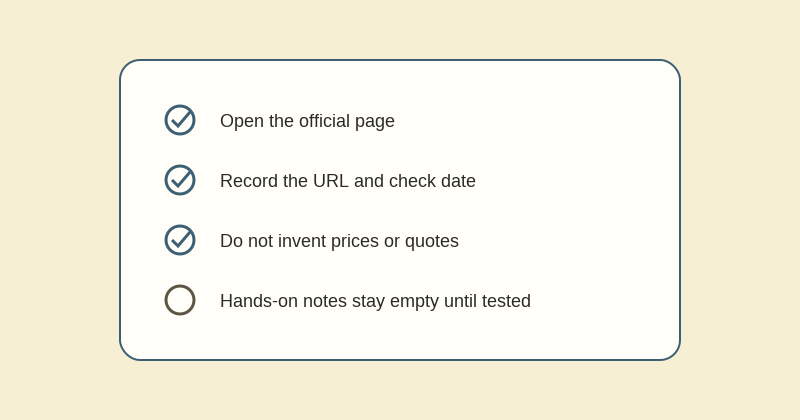
To be filled after hands-on test.
This directory does not claim to have used the product until this box is filled in by a person after a real test.
Frequently asked questions
Can I use Microsoft Designer images in ads?
The official FAQ states that Designer is licensed for personal, non-commercial use with your Microsoft account. That wording does not describe a commercial advertising licence. Confirm current official terms. This is not legal advice.
Is Designer free?
The official FAQ says Designer is available for personal use with a Microsoft account. It does not list a standalone sticker price on that page. Some image-creation paths in Word and PowerPoint are described with Copilot Pro or Microsoft 365 Personal or Family. Confirm official access and prices.
Official pages used for this listing
These citation links always use the plain official URL, even after an affiliate visit button is added.